I build software and niche sites using software I built (with the help of AI) and I use AI as an assistant while I do it. I am a one-person business and there's no team to help out, so a lot of what I have written about building comes down to one question: what can I hand to AI, and what do I still need to do myself?
This post collects what I have learned during 2026. It covers the tools and posts I come back to most, and where my own judgment still decides.
- AI is an assistant in my work, not a replacement for knowing what I am building.
- I build tools for my own sites first, then share them once they work.
- The hard parts stay mine: deciding what to build, checking it works and owning how it is run.
- Each post below is something I built or learned while doing it.
How I work with AI
I use Claude and Claude Code to help me learn, write and build, and I use my own tools alongside them. I have used AI to learn Django, to investigate errors, to build small tools and to manage the content for my sites.
I have built two things recently. The first literally took me around 10 minutes and definitely less than half an hour. That was a Markdown Reader because I hate those .md files that I have to read. My markdown reader just presents it in the normal format like a blog post. I can create and write and format as usual but save it all as a .md which I find really useful.
A more recent one (they were both built around a week apart) was a bigger build but still only took around a weekend. It was my software to turn a PDF into a Micro-App. Not only did I build a full software version for me that works on my computer but I also built a micro-app version that is currently available to use on this site.
A full day's job in 45 minutes
I set aside a weekend to update my email sequences. I expected a full day of writing the emails and linking each one to the right free tool or paid product. Claude Code can connect to MailerLite through the same kind of connector I use for Djangify, so it wrote the sequence in my voice and added the subject lines and email details. I added by hand anything it could not. It took 45 minutes, and the Self Talk Effect and Inspirational Guidance sequences were both live.
Video shorts from videos I had thrown away
More recently I have been experimenting with video shorts. Using OpenMontage, Claude now helps me build short videos for Inspirational Guidance and selftalkeffect.com.
Early on a Sunday morning I was scrolling and found a video on Instagram where the author spoke a command for Claude. I held my phone to my microphone and the prompt typed itself out. I edited it to fit the set up I already had, and then I had video shorts. They came from videos I thought were no good, which I had put into my recycle bin because it was just me talking about nothing in particular. Now they are videos I can use as shorts. The set up took me less than 10 minutes, but only because I already had everything installed. On the first take Claude kept cutting me off too early or leaving too much of a pause between words, so I am still adjusting it.
Explainer videos without sitting down to make them
Rather than sit and make a ton of videos, a few days ago I had explainer videos made for Djangify using Opus 5.5. They are waiting to go up. I have added one so far, the Djangify AI Assistant video, and it has no sound or music yet. I also tried out 3D and 2D videos with Opus 5.5. I have not used any of those yet, but I might add them to YouTube.
When it got something wrong
When I restarted my old news site with Claude Code, I asked for it to be moved under my normal server user. The admin page then came back as plain text with a huge black circle where an icon should be. The folder's group had been replaced, so the web server could no longer read the styling files. The clue was in output I had already pasted, a group name and a plus sign. Claude had given me the command without reading it. It owned up and gave me the fix, and putting the shared group back brought the styling back.
Docker was the same kind of lesson. It was my third attempt that month at getting the Docker files right, and the word "again" was in the commit message. When AI says "that will be easy, you only need to change five things", then forty-five things later you are still at it and you wish you had never started. It all works now, and right at the end you are just happy, which is the bit nobody puts in the tutorial.
The cost of a tidy workspace
I like a tidy workspace, so I often archive or delete my chats with Claude and then need them later. Recently I spent ages trying to remember where those explainer videos were saved, and I had to ask Claude to find them for me. Showing only what I am currently working on stops me from feeling overwhelmed by all the chats. The downside is that sometimes I delete something I need, or struggle to find what I need.
What stays mine
- Deciding what to build and who it is for
- Checking every result before anyone else sees it
- Choosing how my software is deployed and run
- Adding my own experience to anything I publish
Deciding what to build
From 2024 to 2025 I built corrisonapi, a reusable Django backend with login, secure image uploads and an example Flutter app, meant as the starting point for whatever I built next. I tested the backend properly, but I never ran the Flutter app. I built it because I could, not because anyone had asked for it. Nothing was ever built on it, and I earned no money from it because I was building, not growing an audience. AI can build almost anything you ask for. Knowing who it is for is still my job.
Checking every result
When Claude Code built my Open Source Dashboard, I had it test that a malicious pull request title could not run code. Merging from the dashboard always asks me to confirm, and it re-checks the pull request on GitHub first. When I restarted the news site, the tests passed and I still checked the live site myself.
Choosing how it is run
One Saturday morning I woke up to 180 error emails. Every time I updated Djangify with Docker, it left an old image behind. I had 75 images and only 2 were in use, and 52 GB could be reclaimed on a 75 GB server. I cleaned them up. I was out of Claude tokens until 4pm, so I finished the job with ChatGPT. The server now removes old images itself and emails me when disk use reaches 70% and again at 85%.
I published AI drafts without adding anything of my own. By early June, 170 of those articles on Inspirational Guidance were deindexed, and about 174 by the end of June. I deleted them all and nothing came back. I now use AI for the draft and add the real experience myself.
Where to start
How I Learn Django With AI (My Current Workflow)
How I use AI to learn a framework day to day.
Read more →Meet My Five Buzz AI Agents and How They Work With My Content Calendar
The agents I use for my own content planning.
Read more →See what I built
Djangify, an ecommerce builder for digital products
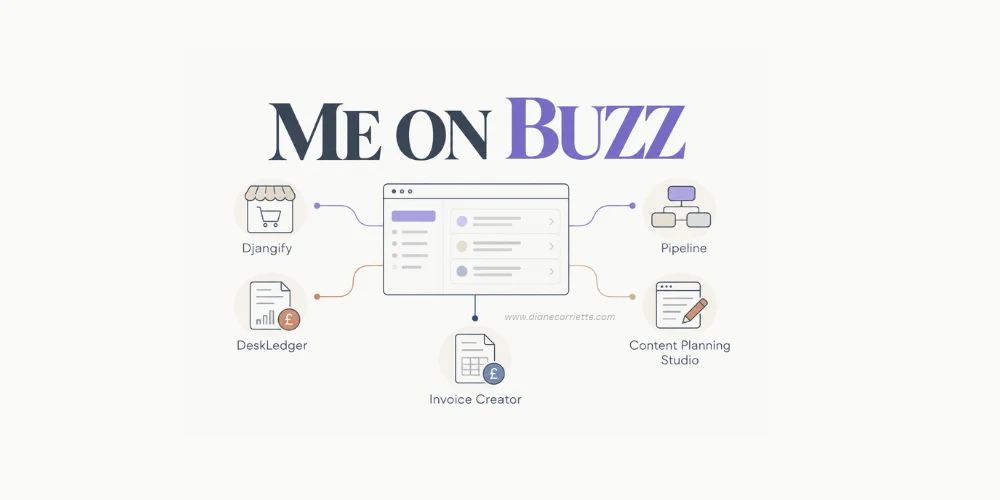
Djangify is the tool I built for my own businesses and use to run my sites. You can run it managed, or self-hosted on your own server, and take a full copy of your site whenever you want.
See Djangify →Reflection
- AI helps me build and write faster, and the decisions stay mine.
- I build for my own sites first and share what works.
- Every published piece needs something real from my own experience.
Write your answers here
- What is one task you could hand to AI this week?
- How will you check what it gives you?
- What is one small step you can take?