- I built a Django app that turns a PDF into an interactive micro-app, and it works.
- I am keeping it for my own use. A free version that runs in your browser is now on this site.
- Your own AI (Claude or ChatGPT) reads the document. The tool asks the right questions first and builds the page.
- Download the finished micro-app. The site saves your answers and instructions, not the finished page.
I built an app that turns a PDF into a micro-app, a single web page people can fill in, tick through and download their answers from. It does the job. I am not going to sell it, and I have put a smaller free version on this site for anyone to use.
Here is what the first version does, why it stays on my computer, and what you can use today.
What I built first
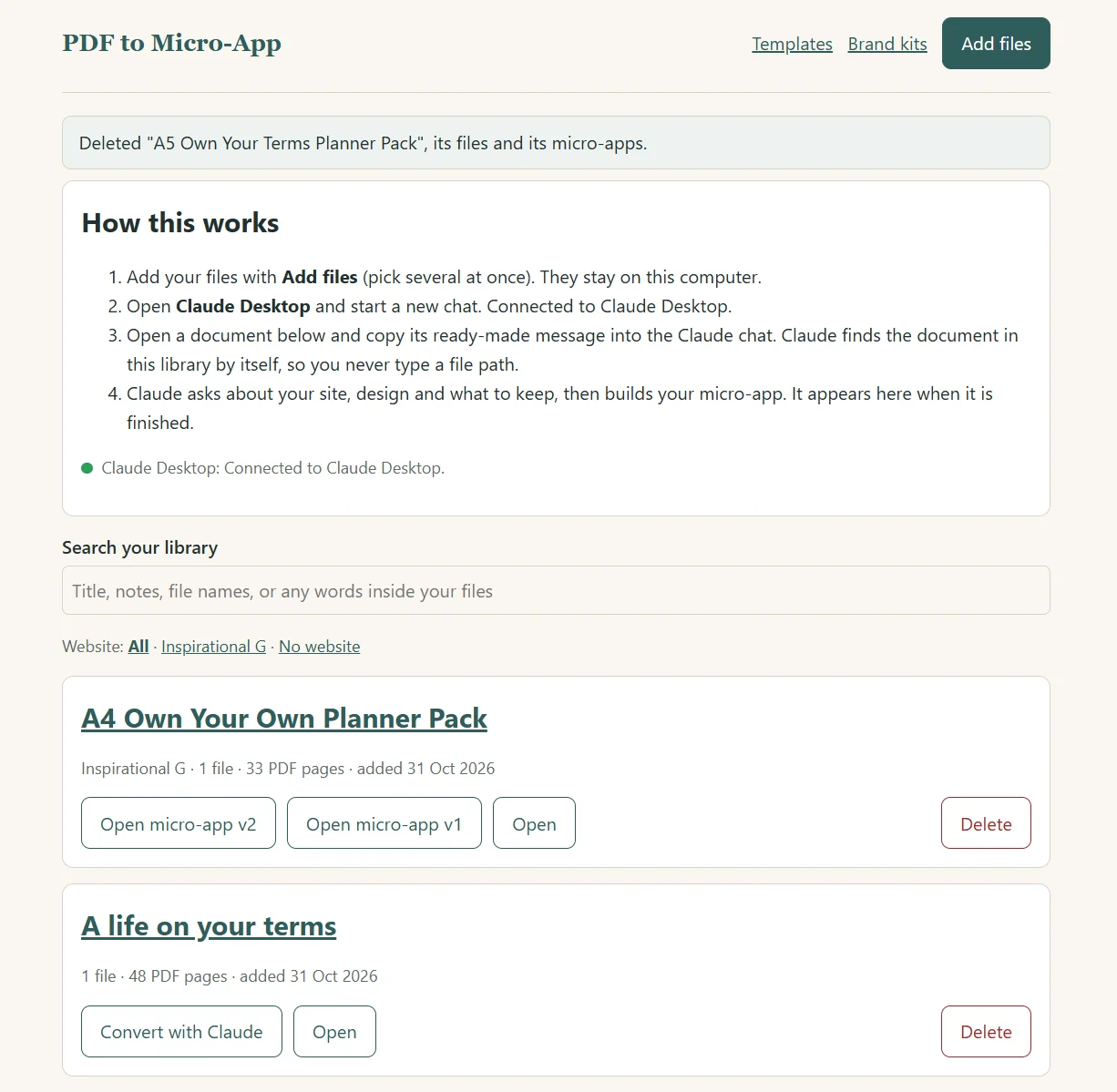
The first version is a Django app that runs on my own machine. It keeps a library of the files I own: PDFs, notes, text files and Word documents. It connects to Claude Desktop, so the conversion runs on my own Claude subscription and needs no API key.
The app does these things:
- Reads the document and asks me what to keep and what to leave out before anything is built.
- Builds one HTML file with navigation, a progress bar, a download of the person's answers and a print layout.
- Offers ten templates and lets me save a brand kit with my own palette and fonts.
- Checks the finished page against the original text and lists any sentence it cannot find.
- Asks me to confirm twice that I own the rights to the document.
- Keeps every version of a micro-app, so a change never overwrites the one before it.
Why I am not shipping it
Two reasons. The first is simple: people can attach a PDF to Claude and get a micro-app built without my app. I do not think there is money in selling the middle step.
The second is practical. I haven't managed to do much testing on an .exe file and get them working on a computer that is not mine, and a packaged app that only runs for its maker is not something to sell. In all fairness I have only tried one test on one other computer so I probably need to find a few testers but for now it stays with me.
What I kept coming back to was what people lack when they try to build a micro-app themselves. They don't always know what to ask, in what order, or what the AI needs to know before it starts. I also decided that a template helps too, because a blank chat gives you a blank page and a pretty plain micro-app. The first one Claude Code built was terrible, so I set about getting templates made that look better and that part I can give away.
What I put on the site instead
The PDF to Micro-App tool is free, and everything runs in your browser. It asks about your document, who will use it and how closely the wording must stay the same. Then it writes the instructions for your own AI. You attach your PDF in Claude or ChatGPT, paste the instructions, and your AI sends back the content. The tool builds the page from that.
How it works
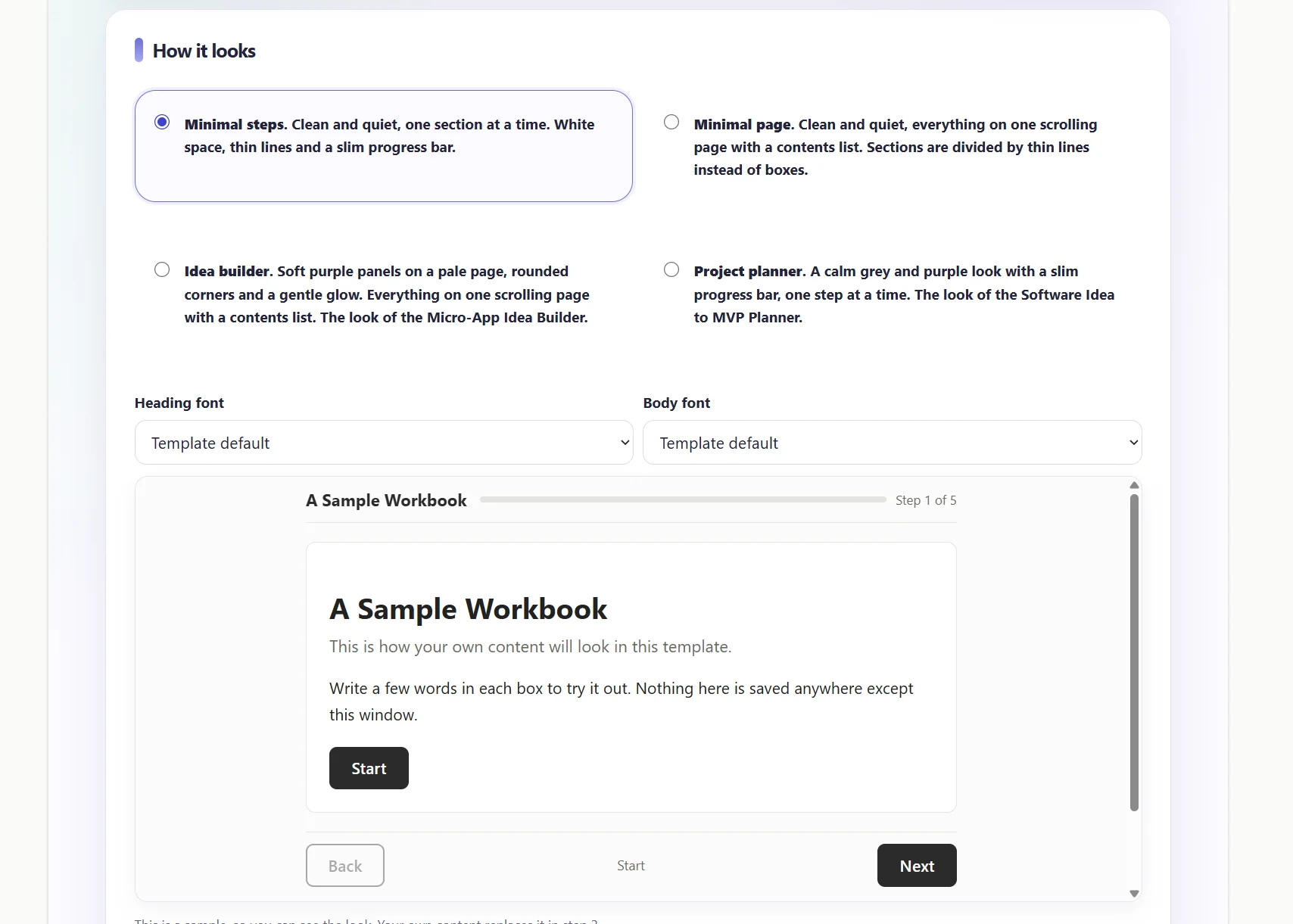
- Describe your document. Say what it is, who it is for, which of the four templates you want and where it will be published.
- Give the instructions to your AI. Start a new chat, attach your PDF and paste what the tool made. Your AI sends back a list of sections to keep or leave out, and you decide.
- Paste the content back. Your AI sends one block of content. Paste it into the tool and press Build my page.
- Download it and check it. Paste the text from your PDF into the tool, and it lists any sentence it cannot find in the page.
The full walkthrough is in Turn a PDF into an Interactive Micro-App with Claude or ChatGPT.
What the site saves and what it does not
When you are signed in, the site saves your answers, the instructions and the content you pasted, so you can leave and come back. It does not save the finished micro-app. Press Download my micro-app as soon as it is built.
Your PDF is never sent to this site. It goes only to the AI you choose.
Why a micro-app and not a PDF
A PDF is easy to send and hard to use. Nobody can tick a box or see their progress. The figures I found come from marketing case studies, not controlled studies, and they vary. One marketer who swapped PDF downloads for interactive pages reported about 20 seconds of attention on a PDF and nearly six minutes on the interactive version. Another case study counted 340 email sign-ups for a PDF in a month, and only 14 people opened it.
What happened when I used it
Once the actual micro-app was ready I decided to use it myself. I think I got to version 8 or 9 before I was truly happy with it! Anyway, I filled in the form on the app then took the prompt it gave me and went over to ChatGPT. I uploaded my pdf along with the prompt and ChatGPT asked me a few questions to confirm what was staying and what was being removed.
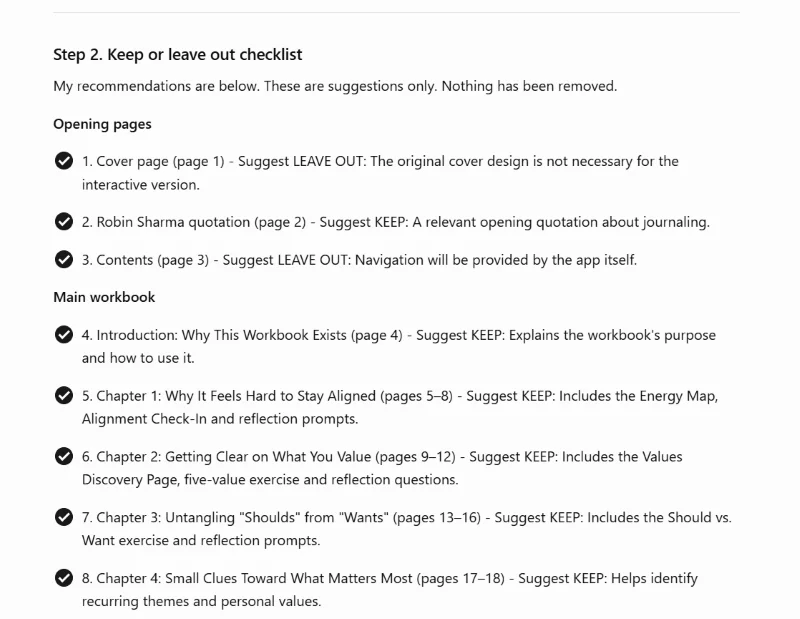
It worked exactly as it should. I got back a json file that I copied. I went back to the pdf to micro-app tool and put the code ChatGPT provided into the app and that created my full micro-app which I was then able to download. I made sure to download it because I know once i saved it to my dashboard it wouldn't save in there.
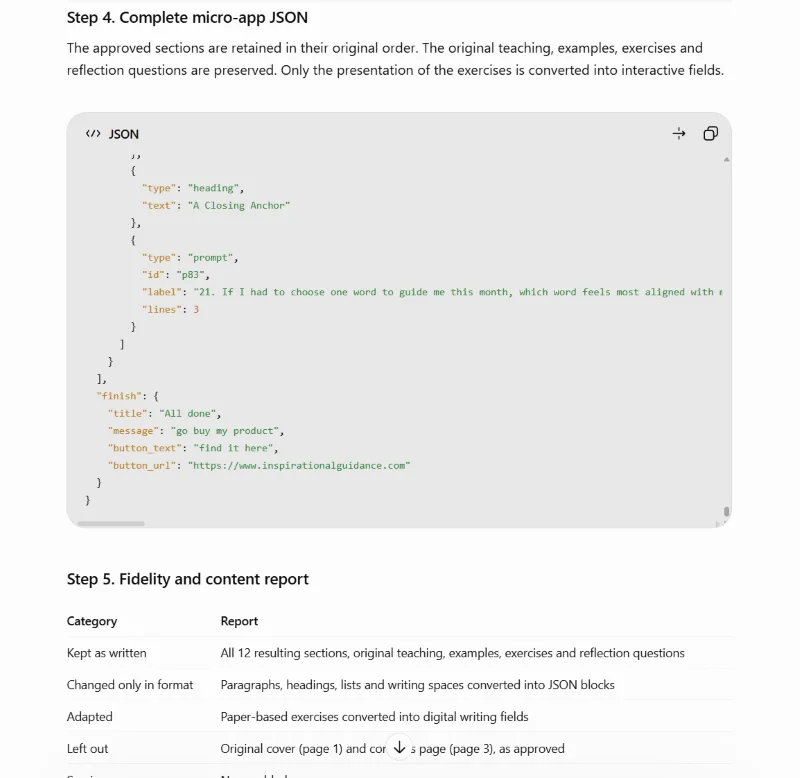
The whole thing was complete in under half an hour but that's mainly because it was a test so I didn't think too hard about the questions. When I do this for my actual project I will spend more time on the app making sure I put in as much detail as I can so the micro-app I get back really works well and represents my brand.
Where to put your micro-app
The finished file is one HTML page, so it works on any free web host. My guide How to Publish an AI-Built Micro-App for Free covers four of them.
If you want to sell your micro-apps, Djangify lets you publish one as a free or paid Hosted Tool on your own site, and the tool can build the file in the right form for it. I made sure if anyone said they had a Djangify site that it would already know everything it needs to know about the tool you have so it won't need to ask additional questions. You can also bundle tools with Djangify so offer a series of micro-apps rather than just one. I spent the last few weeks changing the products available on Inspirational Guidance and my Self Talk Effect websites into micro-apps, but I still offer the PDF version too.
If you find the tool useful, you can buy me a drink - completely optional of course but if you don't ask...!
