Self-hosting has a reputation problem, because it sounds technical, expensive and risky, and for most small business owners it sits in the same category as building your own furniture or rewiring your own office. That reputation is out of date, since self-hosting is more accessible now than it has ever been, and for many small businesses it makes more financial and strategic sense than the subscription software they are paying for today.
This article explains what self-hosting involves, when it makes sense and when it does not.
- Self-hosting means running software on infrastructure you control, such as a rented VPS, a small office server or a spare desktop.
- A team of five can easily spend 300 to 500 pounds a month on subscriptions, while a VPS that runs several self-hosted tools costs 5 to 20 pounds a month.
- The trade-off is time, because someone has to set things up, maintain them and fix problems.
- Self-hosting gives you control over updates, data retention and where your data lives, but it does not make you compliant by itself.
What Self-Hosted Really Means Now
Self-hosting means running software on infrastructure you control, instead of paying a third party to run it for you. That infrastructure might be a virtual private server (VPS) rented from a hosting company, a small physical server in your office or a repurposed desktop machine, and the key difference is control, because you decide where the data lives, who can see it and how long it stays there.
You do not need to become a systems administrator to do this. Modern self-hosted software often comes with one-click installers, automatic updates and sensible defaults, so the barrier to entry has dropped a lot, but the underlying idea has not changed: when you self-host, you are not renting access to your own business data. You own it.
Cost Comparison: SaaS vs VPS
Small businesses often underestimate how much they spend on software subscriptions, because the costs build up quietly. A typical stack for a small team might include the following.
| Tool | Typical cost |
|---|---|
| Project management | £10 to £30 per user per month |
| File storage | £10 to £20 per user per month |
| Email and calendar | £5 to £15 per user per month |
| CRM or invoicing | £20 to £50 per month |
| Forms or surveys | £20 to £40 per month |
For a team of five these subscriptions can easily pass £300 to £500 a month, which is £3,600 to £6,000 a year for software you do not own and cannot control. A basic VPS that can run several self-hosted alternatives costs £5 to £20 a month, and the software itself is often free and open source, so the cost of the trade-off is time: someone has to set things up, maintain them and deal with the occasional problem. For many businesses, especially those with even modest technical confidence, the numbers favor self-hosting clearly.
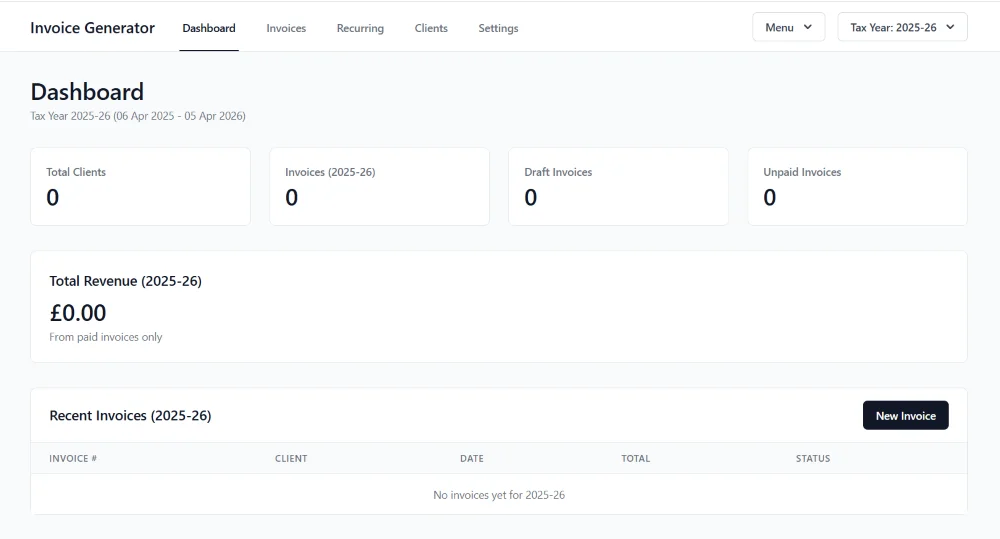
Some of the tools in that table already exist as free software you can run yourself. Invoice Generator covers invoicing, Pipeline covers contacts and follow-ups, and Desk Ledger covers bookkeeping. All three run on a Windows computer you already own, with no monthly fee.
Control, Uptime and Data Retention
SaaS providers make promises about uptime and availability, and most of the time they keep them, but you have probably met the other side: a service goes down at a critical moment, a provider changes its terms, or a feature you relied on disappears in an update you did not ask for.
Self-hosting moves that responsibility to you. It sounds like a burden, but it is also a kind of freedom, because when you control the infrastructure you decide when updates happen, how long to keep historical data and whether to move to a new tool or stay with what works. For businesses that depend on stability and predictability, that control has real value.
Compliance and Ownership
Data protection rules now affect most businesses, and whether you are subject to GDPR, industry-specific rules or just contracts with clients, you need to know where your data lives and who can reach it. With SaaS, answering those questions often means reading dense privacy policies and trusting third-party claims, and your data may sit in several jurisdictions with subprocessors you did not expect.
Self-hosting simplifies this, because your data lives where you put it, access is limited to the people you approve and retention is whatever you set. That does not make you compliant with anything automatically, but it does give you the control you need to make compliance possible.
Two Practical Tasks
Cost comparison worksheet
Before you decide anything, get clear on what you spend now. Make a simple spreadsheet with four columns: tool name, monthly cost including all users and tiers, annual cost (the monthly cost times twelve) and a self-hosted alternative if one exists. Be thorough and include the subscriptions you forget about, using your bank statements and card records, and then use the questions below to see what the figures mean.
- What is your total annual cost for software subscriptions?Add up the annual column.
- What would hosting the self-hosted alternatives cost?A realistic VPS budget is 10 to 30 pounds a month for most small business needs.
- What is the difference, and does it justify the effort?Only you can decide whether the saving is worth your time.
Choose one tool you could self-host today
Do not try to replace everything at once. Start with one tool that meets all three of these tests.
- You use it regularlyA tool you rarely open will not repay the setup time.
- It has a well-documented self-hosted alternativeGood first projects include Nextcloud or Syncthing for file sync, Vaultwarden for passwords, Linkding or Memos for notes and bookmarks, and Planka or Focalboard for simple project boards.
- Losing access for a while would not damage your businessKeep your first project low risk.
Pick one, read how it is installed and decide whether it feels achievable. If it does, try it, and if it does not, that is useful information too.
When Self-Hosting Is Not Worth It
Self-hosting is not always the right choice, and knowing when to avoid it matters as much as knowing when to use it.
The learning curve is real, even though it is shorter than it used to be. If a server problem would leave you completely stuck, the savings may not justify the stress.
If your business depends on a tool working every minute and you cannot accept any downtime, a managed service with guaranteed support may be worth the premium.
If you bill 150 pounds an hour, spending ten hours on a setup to save 200 pounds a year does not make sense.
Self-hosting works best when you value control, have some technical foundation to build on and can accept occasional maintenance. For businesses that fit that description the benefits are substantial, and for those that do not, SaaS remains a reasonable choice.
The Bigger Picture
Self-hosting is not about rejecting modern software, it is about choosing where you want to sit between convenience and control. For small businesses that choice matters more than it may seem, because the tools you use shape how you work, what you can do with your data and how dependent you become on outside providers. Self-hosting asks for more involvement, but it returns something valuable, which is ownership of your own infrastructure, and understanding both the costs and the rewards is the first step toward the right decision for your business.
- Subscriptions add up quickly, and a small VPS can replace several of them for a fraction of the cost.
- The price of self-hosting is your time, so count it before you decide.
- Control over updates, retention and where data lives is the main strategic gain.
- Start with one low-risk tool, and keep critical systems on managed services unless you have a backup plan.
Interactive Content Blocks
The stats bar, worksheet and checklist on this page are interactive content blocks, and you can add the same eight blocks to your own articles, guides and sales pages. Your AI assistant writes them from one skill file, and your readers' progress is saved on their own device.
See Interactive Content Blocks →Why Offline-First Matters for Privacy and Control
Why keeping data on your own machine changes the balance of control.
Read more →