There has been a massive increase in ongoing subscription plans from platforms and third-party dependencies. Self-hosted tools are quietly becoming one of the most empowering alternatives available because they offer something most modern software no longer prioritises: ownership and long-term stability.
For independent professionals like content creators, freelancers, developers, and small business owners, self-hosted tools provide a way to run essential systems without relying on someone else’s infrastructure or being tied to a monthly fee. And while the phrase “self-hosted” may sound technical at first, the core idea is simple:
Self-hosted tools are applications you install, run, and control yourself.
They can be hosted on your own computer, on inexpensive shared hosting, or on a small VPS. You decide the setup, you own the data, and you choose how the tool evolves over time.
Let’s break down what self-hosted tools really are, why they matter, and how they fit into a modern workflow.
- A self-hosted tool is software you install, run and control yourself, on your own computer, shared hosting or a small VPS.
- It trades the subscription treadmill for ownership: lower long-term cost, more privacy and no reliance on a company’s decisions.
- The trade-off is responsibility. You take on maintenance, backups and basic security yourself.
- A quick FAQ and comparison below help you decide if it fits your own tools.
Self-Hosted Tools in Plain English
A self-hosted tool is any piece of software that:
- runs on infrastructure you control
- stores data where you choose
- works without relying on a third-party SaaS platform
- can be customised or extended
- continues to work even if the original developer moves on
Instead of paying monthly for access to a cloud-based system you host the tool yourself.
This doesn’t necessarily mean running a server at home. Hosting can be as simple as:
- a shared cPanel hosting account
- a cheap £4/month VPS
- your own local machine
- a Docker container
- a NAS device like a Synology
If you have ever installed WordPress on your hosting account, you have technically used a self-hosted tool.
Self-hosted does not mean running your own server at home. A £4/month VPS or ordinary shared hosting counts too.
Almost any tool that doesn’t need heavy real-time collaboration can be self-hosted. Tools built for large, live, multi-user editing are the exception.
Why People Are Returning to Self-Hosted Tools
Over the past decade, the default for software shifted dramatically. Almost everything became:
- subscription only
- cloud dependent
- account locked
- controlled by the company, not the user
What used to cost £50 one time now costs £15–£30 every month. Tools that were once simple have become bloated with features people don’t need. And as platforms grow, users increasingly become the product, not the customer.
Self-hosted tools push back against this. They offer:
- predictability
- lower long-term costs
- privacy
- ownership
- stability
- zero reliance on external decisions
For many people, this is a breath of fresh air.
Examples of Self-Hosted Tools
To make this concrete, here are common categories where self-hosting works beautifully:
Common self-hosted categories
Blogging and CMS
- WordPress (self-hosted version)
- Ghost (self-hosted edition)
Note-taking and knowledge management
- Obsidian Sync (optional), data stored locally
- Joplin Server
- Logseq offline mode
Productivity
- self-hosted to-do apps
- personal dashboards
- local calendars
Ecommerce and digital products
- WooCommerce
- eCommerce builder
Money management
- self-hosted budgeting tools
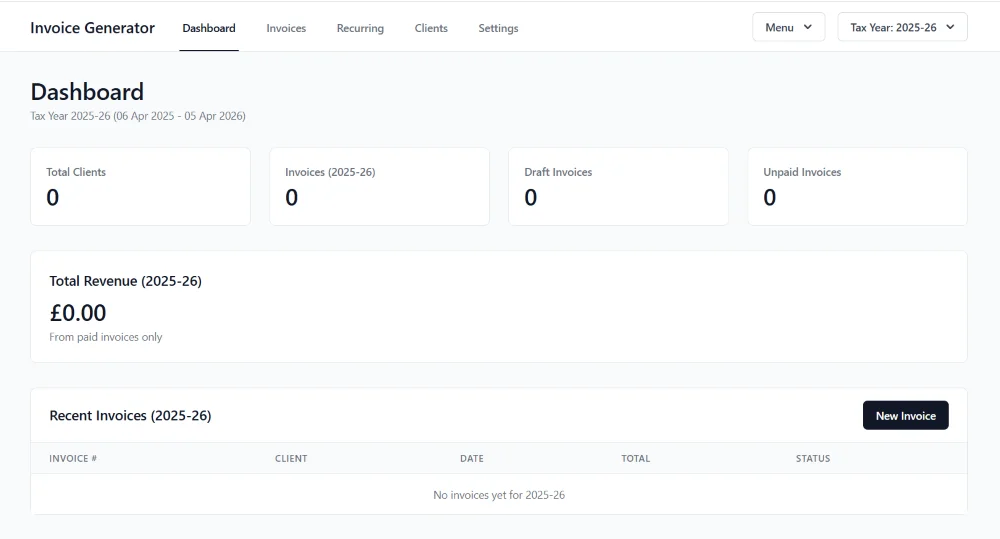
- private invoice generation
- Desk Ledger
Creative tools
- asset libraries
- writing tools
- journaling systems
Almost any tool that doesn’t require heavy real-time collaboration can be self-hosted.
Benefits of Self-Hosted Tools
Self-hosting isn’t for everyone, but it offers substantial advantages that SaaS tools simply can’t match.
1. True Ownership
You own your data. You own the system. You decide what happens next.
2. No Subscription Trap
Self-hosted tools often cost nothing, a small one-time fee, or one small VPS or hosting bill. Over 10 years, this is a massive saving.
3. Stability and Reliability
Your tool won’t suddenly disappear, get acquired, go behind a paywall, or force new limits. It works because you run it.
4. Privacy
Your data isn’t sitting on someone else’s server. For personal journaling or financial tools, this alone is a priority.
5. Flexibility
SaaS is one-size-fits-all. Self-hosted is one-size-fits-you.
The Challenges of Self-Hosted Tools
While self-hosted tools offer independence and long-term stability, they are not perfect. They remove dependencies but place responsibility back onto the user. For some people this is empowering; for others, it’s inconvenient. Either way, it’s important to understand the trade-offs so you can choose tools that match your preferences, skills, and capacity.
1. You Are Responsible for Maintenance
Self-hosting shifts the maintenance burden away from a SaaS provider and onto you. Even lightweight tools may require:
- occasional updates
- inspecting error logs
- renewing SSL certificates
- managing backups
- restoring from a backup if something breaks
None of these tasks are especially complicated, but they are tasks (I use AI to help me with them) and they accumulate over time.
If you are the kind of person who prefers things “just working” without thinking about them, SaaS tools may feel easier. With self-hosting, your tools won’t suddenly change, but they also won’t update themselves unless you configure them to.
2. Software Gets Old (and Sometimes Abandoned)
Even open-source tools slow down or stop evolving. Developers move on, projects lose funding, or technologies change. A tool that felt modern in 2024 can feel outdated by 2027 if no one continues development. With SaaS tools, you benefit from ongoing updates, even if they come with risks. With self-hosting, the version you have today may be the version you still have in five years.
This isn’t always a problem; stability is often an advantage. But it does mean:
- no new features
- no major redesigns
- possible incompatibility with newer systems
If long-term future-proofing is essential, you need to choose tools with active communities or plan for replacements down the line.
3. Hosting and Server Knowledge Is Required (Even at a Basic Level)
Most self-hosted tools are far easier today than they were a decade ago, but “easy” doesn’t mean “effortless.” You still need a minimal understanding of:
- hosting dashboards
- file uploads
- databases
- permissions
- server environments
Even local-first tools require some knowledge of file organising and backups.
For non-technical users, this may feel intimidating. For developers, it’s manageable, but it’s still work.
4. Risk of Data Loss if Backups Are Ignored
One of the biggest hidden risks of self-hosting is this: if you forget to back up your data, no one else is doing it for you.
SaaS tools typically offer automatic backups, redundant servers, and disaster recovery. Self-hosted tools do not unless you set them up.
Many people only discover this after a server crash, an unexpected file corruption, or an expired hosting plan. It’s not a flaw of self-hosting; it’s a reminder that ownership comes with responsibility.
5. No Central Support Team to Call When Something Breaks
If a SaaS tool breaks, you open a support ticket. If a self-hosted tool breaks, you fix it yourself.
Open-source communities are incredibly helpful, but replies aren’t guaranteed or immediate. You are both the user and the support team unless you hire someone to handle maintenance for you.
For creators and small businesses, this is often acceptable. For people who dislike troubleshooting, it can be frustrating.
Again, I find AI helpful when I get stuck or if something happens that I am not familiar with and I do recommend a Pro account if you are going down the self-hosted route.
6. Security Depends on Your Setup
Self-hosted tools can be very secure, often more secure than large platforms, but only if the user follows best practices:
- using strong passwords
- enabling HTTPS
- updating the software
- managing access
- securing the server environment
A misconfigured self-hosted tool is more vulnerable than a well-managed SaaS platform. This doesn’t make self-hosting unsafe; it simply requires awareness.
What you gain
- True ownership of data and system
- No subscription trap, often a one-time cost
- Stability: no forced acquisitions or paywalls
- Privacy, nothing sits on someone else’s server
- Flexibility to shape the tool to you
What you take on
- Maintenance: updates, logs, SSL, backups
- Software can age or stop evolving
- Basic hosting and server knowledge
- Backups are entirely your responsibility
- No support ticket, you are the support team
- Security depends on your own setup
Why Self-Hosted Tools Align With Local-First
Local-first and self-hosted are closely related philosophies.
Local-first = data stored on the device first. Self-hosted = app runs on infrastructure you control.
They share values:
- ownership
- privacy
- independence
- long-term access
- reduced platform risk
Frequently Asked Questions About Self-Hosted Tools
Are self-hosted tools difficult to set up?
Self-hosted tools can sound technical, but most modern applications are designed for straightforward installation. Many offer one-click deployment, Docker containers, or simple instructions involving uploading files to hosting. If you can set up WordPress or install apps on your computer, you can usually manage self-hosting. Some tools require more configuration, but once installed they tend to run reliably with minimal maintenance. The learning curve is far smaller than people imagine, especially for tools meant for individuals, creators, and small businesses.
Do self-hosted tools require a dedicated server?
No. While you can run a self-hosted tool on your own server or VPS, it isn’t required. Many people use standard shared hosting, which is inexpensive and widely available. Others run tools locally on their laptop or desktop. Self-hosting simply means the tool runs on infrastructure you control, whether that’s a £4/month hosting account, a home computer, or a small cloud server. The flexibility is part of what makes self-hosted systems appealing.
Are self-hosted tools secure?
Self-hosted tools can be secure, but security depends on proper setup and updates. Most reputable tools provide clear instructions for secure installation. Because you control the environment, you avoid risks associated with large platforms storing millions of user accounts. Keeping software updated and using basic hosting security best practices, strong passwords, SSL certificates, and regular updates, is usually enough for personal tools. For creators and small businesses handling sensitive data, self-hosting can actually increase privacy and reduce exposure.
What happens if the creator of the tool disappears?
One of the benefits of self-hosting is resilience. Once the tool is installed on your server or device, you can continue using it even if the original developer stops updating it. Many self-hosted tools are open source, allowing others to continue development if needed. Even with paid tools, you retain the version you purchased. This is very different from SaaS, where an app can shut down overnight and take your entire workflow with it.
Are self-hosted tools better than cloud tools?
They are better for some people and some use cases. If you need reliability, privacy, long-term access, and full ownership, self-hosted tools are often the best option. If you need real-time collaboration, large multi-user features, or simplified onboarding, cloud tools may be more suitable. Many people use a mix, self-hosting tools that handle their most important work, and cloud-based tools for broader collaboration or large-scale tasks.
How do self-hosted tools save money?
Self-hosted tools typically require little ongoing cost beyond hosting or storage. Instead of paying £10–£30 monthly for multiple services, many people pay a single hosting fee and run everything they need. Over a few years, this results in substantial savings. Self-hosted tools also avoid price increases and forced upgrade paths that SaaS companies often implement. For creators and small business owners, predictable and low-cost software is a huge financial advantage.
Self-hosted tools aren’t automatically better or worse than cloud-based software, they simply offer a different trade-off. They give you ownership, stability, privacy, and long-term control, but they also require maintenance, backups, and a willingness to manage the environment they run in.
For some people, that responsibility becomes part of the value; for others, it feels like extra work.
The key is choosing software based on your needs, your working style, and how much independence you want. When used intentionally, self-hosted tools can be an empowering, sustainable alternative in a world increasingly shaped by subscriptions and platform dependency.
- A self-hosted tool is software you install, run and control yourself, often on cheap shared hosting or a small VPS.
- The main gains are ownership, lower long-term cost, privacy and stability.
- The main trade-off is responsibility: maintenance, backups and basic security sit with you.
- Local-first and self-hosted share the same underlying value: your data and your tool stay yours.
Tools You Can Run Yourself
A closer look at the categories of tools people run themselves.
Read more →Why I Am Adding Local-First Development
Why this shift fits alongside my existing Django work.
Read more →