Most of my products started life as PDFs. Over about three weeks in October I turned them into interactive micro-apps on two of my sites, Inspirational Guidance and The Self-Talk Effect. I did it with Claude Code, one product at a time, and I got a fair amount wrong along the way.
This is what I changed, why I made each choice, what broke, and what I would tell anyone about to do the same with their own PDFs.
- I made the interactive tool the main thing people buy, the AI coach the second thing, and the PDF an optional extra.
- Each PDF became the tool that suited it best. Templates became a planner, a reference sheet became a swap finder, a workbook became a loop breaker.
- Match the tool to the kind of PDF: templates to a planner, a reference sheet to a finder, a workbook to a guided walk-through, a plan to a daily practice.
- A paid micro-app should end with something the person keeps: a plan, a prompt, a finished sentence.
- A tool that only saves in the browser can fail on your own site. Test it the way your site will actually show it.
- Keep the old web addresses working. Redirect anything you remove.
- I tried to change too much in one go and felt overwhelmed. One product at a time worked.
- Why I stopped selling PDFs on their own
- Inspirational Guidance came first
- Then The Self-Talk Effect
- More paid products that started as PDFs
- Which kind of PDF becomes which kind of tool
- The choices I made and why
- What makes a micro-app worth paying for
- What went wrong
- The week I felt overwhelmed
- What I would tell you before you start
- How to turn one of your own PDFs into a micro-app
- Where my PDF to micro-app tool came from
- Posts to read next
Why I stopped selling PDFs on their own
A PDF gets read once, if it gets read at all. Nobody can tick a box in it, see their progress, or pick up where they left off. My buyers were paying for something they could only look at.
So I set an order of importance for every product. The interactive tool comes first and is the main reason to buy. The AI coach that works from the product comes second. The PDF stays, because some people like to print a guide or read it in their PDF reader, but it is the extra now, not the product.
Inspirational Guidance came first
On Inspirational Guidance I kept only the products that belong to the ALIVE List and removed the rest. Then I went through what was left, product by product, and asked what each one could become.
The free An ALIVE List Builder came first. It was the test case for saving a person's progress, and once it worked on the live site I used the same method for everything after it.
The Intentional Living Toolkit was next. Its notes said it plainly: no interactive PAUSE reset tool existed, and that was the product to finish. I built the PAUSE Reset as an interactive tool, a guided five-minute reset with a breathing timer and a score before and after.
The Planner came from a different PDF. More than half of Momentum Your Way was templates, and people now get those in the Planner, so what was left of Momentum became one chapter inside the Zest Sparks Guide. The tracker is a tool they use, not a printout they fill in by hand. The Toolkit bundles the Planner and the PAUSE Reset with the Zest Sparks Guide and the PAUSE Workbook as PDFs, a start-here guide and a 14-day email series that starts when someone buys.
Then The Self-Talk Effect
The Self-Talk Effect had four paid products and a Toolkit bundle of PDFs. I did the same thing: gave each PDF the tool that suited it, and kept the PDF as an extra.
| The PDF | What it became |
|---|---|
| Understanding Negative Self-Talk | Change the Sentence, a five-step tool that shows how a sentence shaped what you felt and did, then changes it |
| Stop Negative Self-Talk workbook | The Loop Breaker, with the workbook's pattern audit as a second mode |
| You Know What to Do But Still Don't Start | First Step, which builds your own go-to instructions and starts a five-minute timer |
| The Signal Sheets | The Sentence Swap, with 60 swaps and the reason each one works |
| The 30-Day Plan | The 30-Day Practice, with a restart for the days you stop |
| The free Notice guide | Notice, a seven-day tool on the same web address people had already shared |
| My blog posts on hard moments | Situation Packs, six ready-made packs for moments such as a hard conversation or public speaking nerves |
The Toolkit also has The Chain, which walks one moment through the whole method. The old You Know What to Do product became part of the Toolkit, so the site went from four products to three.
More paid products that started as PDFs
Every paid product on my three product sites, Inspirational Guidance, The Self-Talk Effect and Reduce Overwhelm, started as a PDF. Three more that I have not described above:
- 35 AI Coaching Prompts for Women Who Feel Stuck on Inspirational Guidance. A list of prompts is easy to lose in a PDF. Now you open the tool, pick the prompt that matches how you feel, copy it and paste it into the AI you already use. The prompts stay on the site, so you can come back for another when the stuck feeling returns.
- How to Say No Without Guilt: Your AI Boundaries Coach on Inspirational Guidance. This one became a coach, not a tool. You tell the coach who is asking and what you want, and it helps you write the no, rehearse the pushback and look back afterwards. The coach works from the Start Saying No guide, the 27 No Scripts Toolkit and the 51 Permission Slips, which are still there as PDF downloads.
- Overwhelm Reset Guide on Reduce Overwhelm. It is now 24 pages you open from a menu, and each one ticks off when you finish it. You type your answers into boxes, they save as you go, and you can download or print what you wrote. A PDF copy of the guide is still included.
Which kind of PDF becomes which kind of tool
If you are choosing a shape for your own PDF, start with what kind of PDF it is. This is how mine matched up. They are my own pairings, not rules.
| If your PDF is | It can become | What I made |
|---|---|---|
| Templates and trackers | A planner you use | The Intentional Living Planner, where the templates from Momentum Your Way now live |
| A reference sheet | A finder you type into | The Sentence Swap, from The Signal Sheets |
| A workbook | A guided walk-through that saves your answers | The Loop Breaker, from Stop Negative Self-Talk |
| A step-by-step guide | Pages you open from a menu and tick off | The Overwhelm Reset Guide |
| A 30-day plan | A daily practice with a restart for the days you stop | The 30-Day Practice, from The 30-Day Plan |
| A set of prompts | A picker you copy from | 35 AI Coaching Prompts for Women Who Feel Stuck |
| A guide plus scripts | A coach that works from them | How to Say No Without Guilt |
| A short free guide | A seven-day tool with a daily email | Notice |
| Blog posts on hard moments | Ready-made packs, one for each moment | Situation Packs |
If you are not sure which row yours fits, the free Micro-App Idea Builder turns a person, a problem and a result into an app idea.
The choices I made and why
One coach per product. Each AI coach rereads its whole guide every time you send it a message. A big guide costs more on every reply, so each coach gets only the guide for what the person bought. The Toolkit Coach got one merged file of the Toolkit guides plus You Know What to Do.
Your progress saves in your account. Every tool remembers where you were, so you can leave and come back. Each tool also has a button that copies your result so you can paste it into the coach.
Fewer free tools. The Self-Talk Effect had four free tools. I kept two, the Notice tool and the 5-Step Reset, because the guide and the first emails already pointed at them. The other two redirect to Notice.
The same web addresses. The Notice link had been shared on Pinterest and social media. Rather than start a new page, I made the new seven-day tool live at the old address and added redirects for anything I removed.
A guide to read, a workbook to fill in by hand, and a coach added on at the end.
A tool you use, a coach that works from the same method, and the PDF if you want one.
What makes a micro-app worth paying for
My first interactive version of You Know What to Do But Still Don't Start was called Start Now. It worked. It also looked plain: a flat cream background, one heavy font, one accent shade and default-looking buttons. And it ended on a timer and a count, not on anything you could keep.
The ending bothered me more than the look. I decided a paid micro-app is judged by what the person walks away with: an article, a prompt, a plan or a new sentence. I now plan every app around the same five steps.
- Bring something in, such as a sentence, a topic or a document.
- Work through guided decisions, one question at a time.
- Watch the result build up as you go.
- Finish on something you can copy, print or download.
- Save the answers so the tool can run again.
Most of the Self-Talk tools now end on a result you can copy for the coach or print. A fuller design pass is still on my list: better type, more white space, a little depth and one animated moment, such as the old sentence being struck through as the new one lands. That polish comes after the five steps, because a beautiful app that ends on a count is still a plain app.
What went wrong
Quite a lot, and most of it was avoidable.
A tool that saved only in the browser. Several of my older tools stored their data in the visitor's browser. Inside my site's frame, that is blocked. When I tested First Step the way the site would show it, the second half of the tool had no buttons at all. I only found out because I tested it in a copy of the real frame instead of opening the file on its own.
Pulling tools before replacing them. I took six tools offline while I rebuilt them. Ten of the sixteen emails in my free series linked to those tools, so new subscribers would have clicked into pages that no longer existed. I fixed the links with redirects and updated the early emails.
The wrong file. One tool went live as its older version. I only caught it when I compared the uploaded file with the one on my computer, which is a check I now do for every tool.
Deleting a tool by accident. I deleted First Step before the new one was ready. It was easy to rebuild at the same address, but I would not recommend learning that way.
Two versions of the same PDF. The same guide had different files in different places, and I could not tell which one was current.
Open every file you upload and compare it with the one you meant to upload. Then open the live page as a visitor would.
The week I felt overwhelmed
Partway through the Self-Talk work I told Claude Code that I felt overwhelmed and a little panicked. Too much was changing at once: tools, emails, product pages, redirects. I joked that I was not even telling myself anything.
I asked to go back to my usual way of working, one thing at a time. We kept the two free tools I loved, parked everything else, and worked down a list in order: the free guide and Notice first, then the emails, then each product in turn. I could look at one finished thing and decide it was right before the next one started.
What I would tell you before you start
- Give each PDF the tool that suits it. A reference sheet is not the same shape as a workbook, and forcing them into one template makes both worse.
- Decide the order of importance first: tool, coach, PDF. Then write every product page in that order.
- End every tool on something the person keeps, not on a confirmation message or a count.
- Test every tool the way your site will actually show it, and check that it saves and comes back after a reload.
- Keep old addresses working. Redirect before you remove, not after.
- Read the emails and pages that point at a tool before you change the tool.
- Compare the file you uploaded with the file you meant to upload.
- Do one product at a time and finish it before you start the next.
Before you convert your own PDFs
- Which of your PDFs would your readers actually use more than once?
- What shape does each one want to be?A planner, a checker, a guided walk-through, a library of prompts.
- What will the person walk away with at the end?
- Which one will you finish first?
How to turn one of your own PDFs into a micro-app
- Decide what the person leaves withA plan, a prompt, a score or a finished sentence. Write it down first, because it decides the shape.
- Choose the shape that suits your PDFThe table above shows how mine matched up.
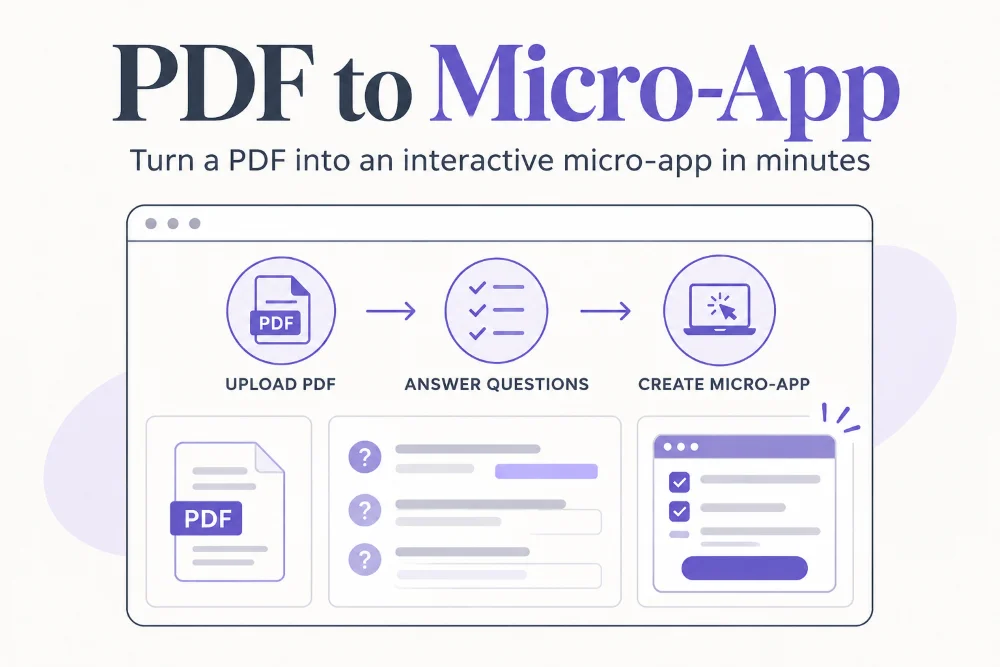
- Build itMy free PDF to Micro-App tool asks what the document needs to keep, who it is for and how closely the wording must stay the same. You can also follow the step-by-step guide to do it with Claude or ChatGPT.
- Test it the way your site will show itCheck that it saves and comes back after a reload. The testing checklist in my micro-apps post lists what to check.
- Publish it or sell itA single-file micro-app can go online for free: see how to publish for free. To sell one so that only buyers can use it, see Djangify's Hosted Tools doc.
You do not have to drop the PDF. Some readers still prefer paper or a tablet, and my micro-apps post covers when a PDF is the better choice.
Where my PDF to micro-app tool came from
Doing this by hand across two sites meant repeating the same questions on every product. What does this document need to keep? Who is it for? What should the person be able to do? How closely must the wording stay the same? That repetition is what pushed me to build the free PDF to Micro-App tool that asks those questions for you. I wrote up how it works in Free PDF to Micro-App Tool: How I Built It and Why It Lives on My Site.
You can see the results on the Inspirational Guidance shop and on The Self-Talk Effect Toolkit page. The seven-day Notice tool is free if you want to try one.
- I turned PDF products on two sites into interactive micro-apps, with the tool first, the coach second and the PDF as an extra.
- Each PDF became the tool that suited it, and the old web addresses kept working.
- Every paid product on my three product sites started as a PDF, and the shape of each tool followed the kind of PDF it came from.
- A paid micro-app should end on something the person keeps, which is why Start Now's timer and count were not enough.
- The main mistakes were tools that did not save on my own site, pulling pages before replacing them, and uploading the wrong file.
- Doing one product at a time was the fix for feeling overwhelmed.
- The repeated questions became my free PDF to Micro-App tool.
Posts to read next
Micro-Apps: Build, Use, Share and Sell Small Interactive Tools
What a micro-app is, how to build one and how to share or sell it.
Read more →Why Plain PDFs Stopped Selling and What I'm Building Instead
Why plain PDFs stopped selling for me and what I am building instead.
Read more →From Personal Tool to Product: When to Share Your Software
How to tell whether a tool should stay private, be shared or be sold.
Read more →